04_Datamodel
Code-Dateien
| Dateiname | Aktion |
|---|---|
| CODECode_Tankstelle.zip | Download |
| CODECode_Train.zip | Download |
Videos
| Dateiname | Aktion |
|---|---|
| VIDEOVideo_Tankstelle_D | Abspielen |
| VIDEOVideo_Train_E | Abspielen |
Lernmaterialien
Arrows
Introduction
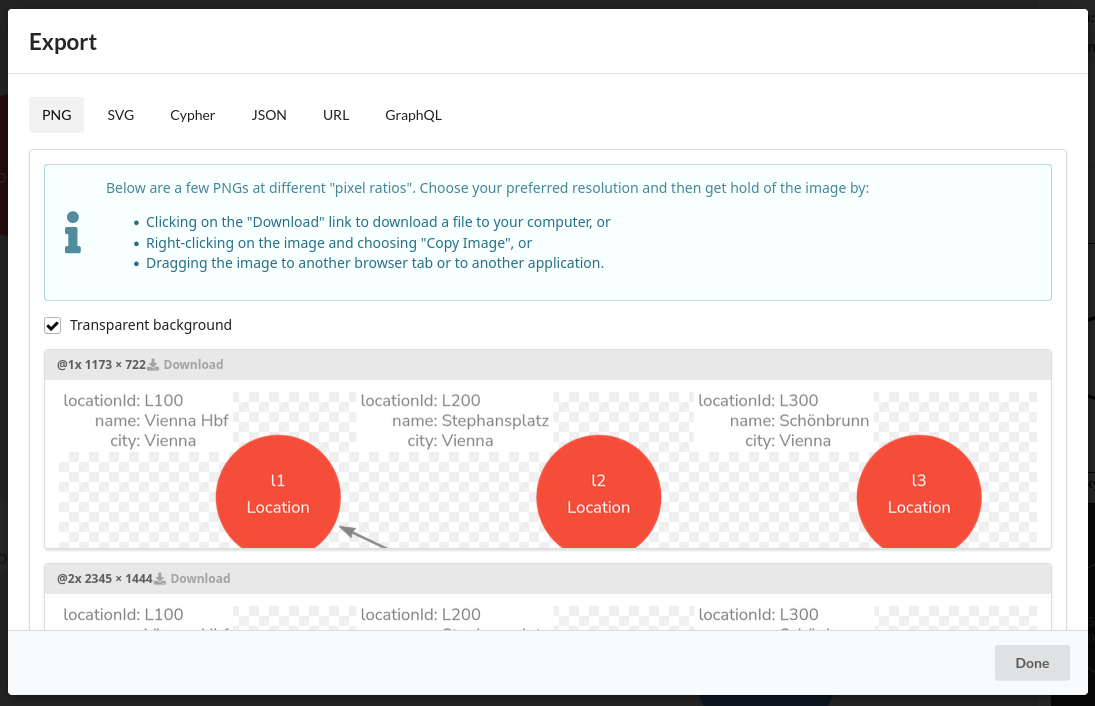
Arrows (arrows.app) is a web-based Neo4j Labs tool for drawing graph models—basically a lightweight property-graph diagram editor for documentation, teaching, and quick prototyping.
https://arrows.app
What you do with it:
Draw nodes and relationships (labels + relationship types + properties).
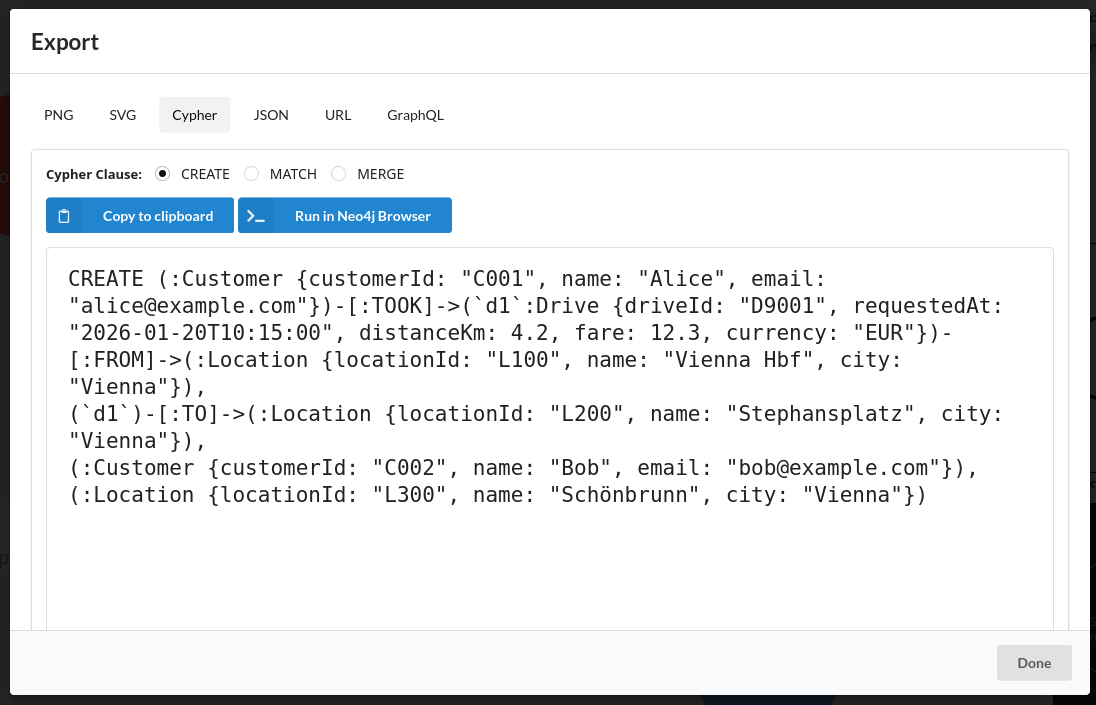
Export the result as PNG/SVG (for slides/docs) or as Cypher so you can paste it into Neo4j to create example data. (Graph Database & Analytics)
What it is not:
- It’s not a live visualization tool for an existing Neo4j database (for that, Neo4j points you to Browser/Bloom/other visualization approaches).
Project
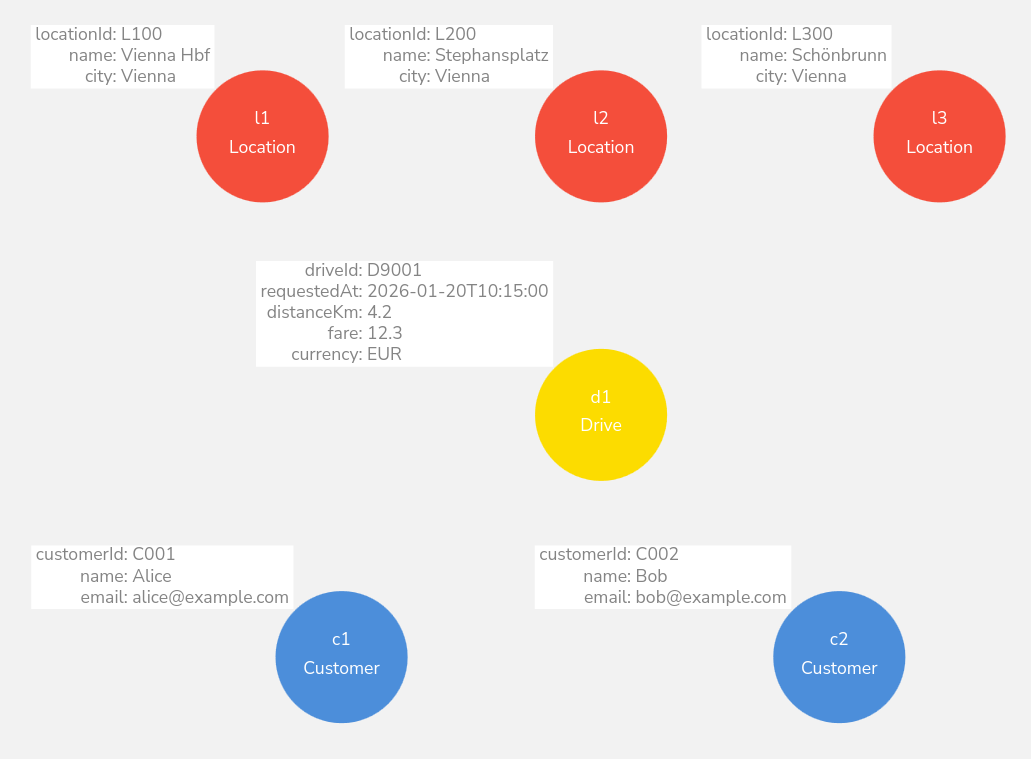
Nodes
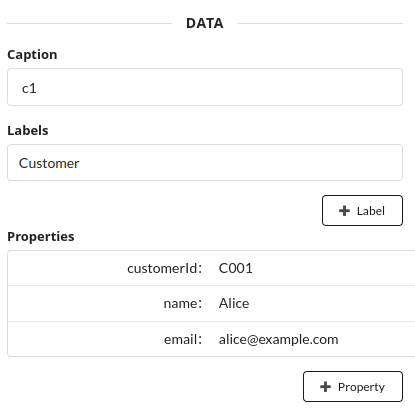
MERGE (c1:Customer {customerId:"C001"})
SET c1.name="Alice", c1.email="alice@example.com";

MERGE (c2:Customer {customerId:"C002"})
SET c2.name="Bob", c2.email="bob@example.com";

MERGE (l1:Location {locationId:"L100"})
SET l1.name="Vienna Hbf", l1.city="Vienna";

MERGE (l2:Location {locationId:"L200"})
SET l2.name="Stephansplatz", l2.city="Vienna";

MERGE (l3:Location {locationId:"L300"})
SET l3.name="Schönbrunn", l3.city="Vienna";

MERGE (d1:Drive {driveId:"D9001"})
SET d1.requestedAt=datetime("2026-01-20T10:15:00"),
d1.distanceKm=4.2, d1.fare=12.30, d1.currency="EUR";
Variable (query variable)
c1,c2,l1- These are just names inside the Cypher query so you can refer to the node later in the same query. They are not stored in the database.
Label (node type)
:Customer:LocationA label is like a table/type/category. Nodes can have multiple labels.
Properties (key–value pairs)
In the {...} part (used for MERGE matching)
{customerId:"C001"}{customerId:"C002"}{locationId:"L100"}
These properties are used byMERGEto find an existing node with that label + property value, or create it if it doesn’t exist.
In the SET part (additional properties)
c1.name="Alice",c1.email="alice@example.com"c2.name="Bob",c2.email="bob@example.com"l1.name="Vienna Hbf",l1.city="Vienna"
SETwrites/updates properties on the node (adds them if missing, overwrites if they already exist).
Relations
// Relationships (customer + from/to locations)
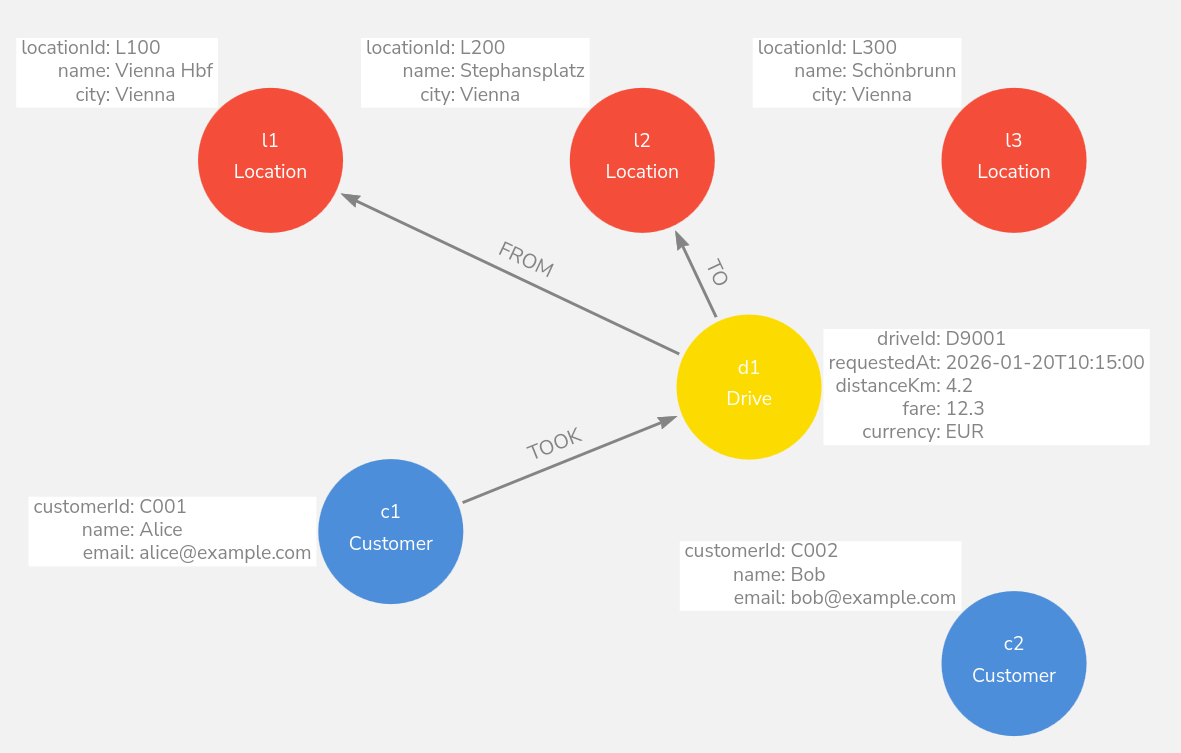
MATCH (c1:Customer {customerId:"C001"}), (d1:Drive {driveId:"D9001"}),
(l1:Location {locationId:"L100"}), (l2:Location {locationId:"L200"})
MERGE (c1)-[:TOOK]->(d1)
MERGE (d1)-[:FROM]->(l1)
MERGE (d1)-[:TO]->(l2);
Sample
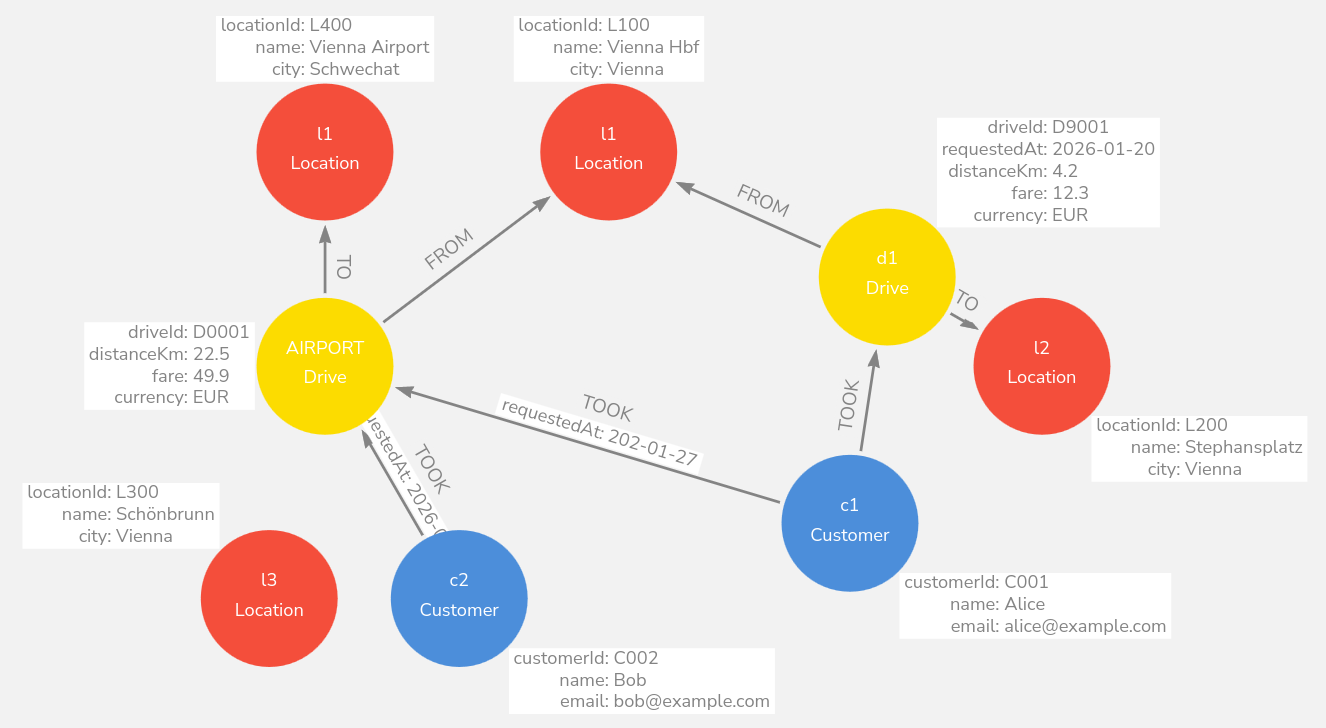
Drive is a node (Trip/Event entity)
Pattern
(c:Customer)-[:TOOK]->(d:Drive)(d)-[:FROM]->(from:Location)(d)-[:TO]->(to:Location)
Where do properties go?
Drive node:
driveId,requestedAt,distanceKm,fare,currency(event-level facts)TOOK relationship (optional): passenger-specific facts like
paymentMethod,tip,rating,passengers
Why it’s better
A taxi ride is an event that can later be connected to more things (Driver, Vehicle, Payment, Complaint, etc.).
Cleaner: the “ride facts” live in one place (the
Drivenode).
✅ This is the d1:Drive is doing.
Sample
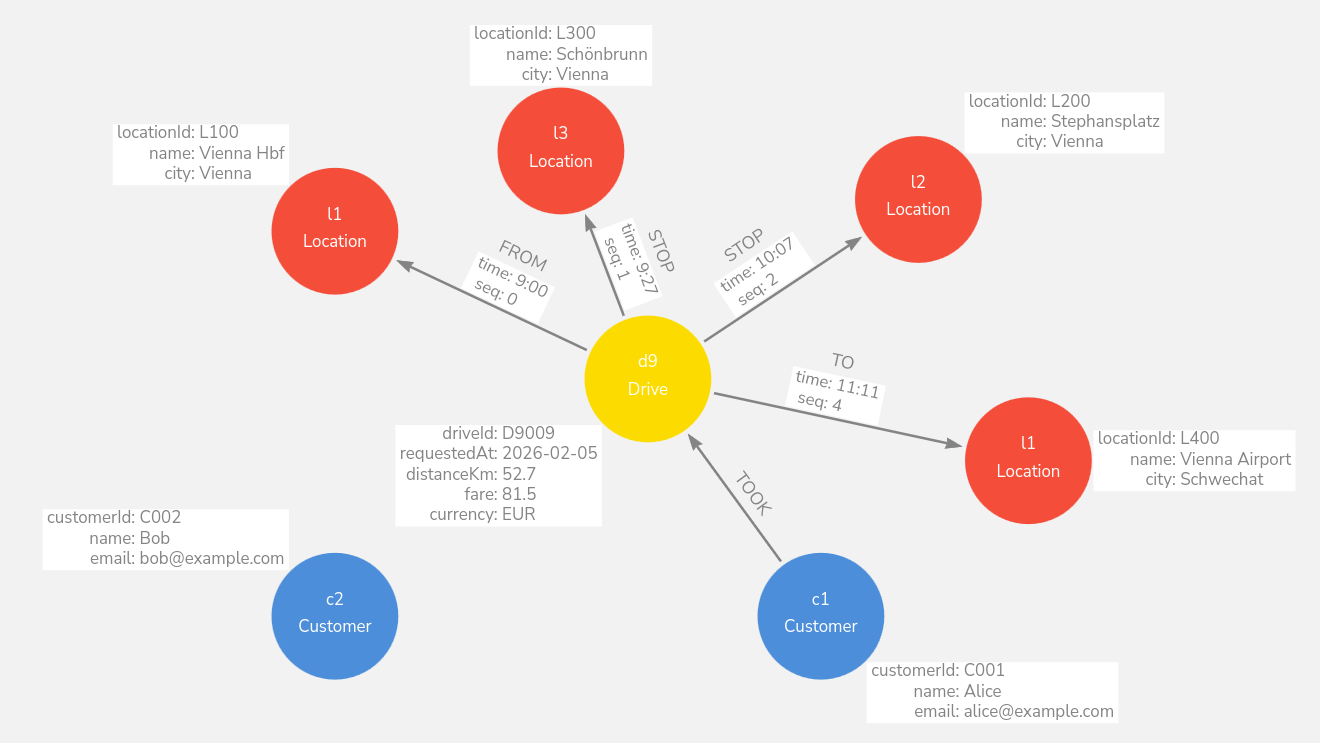
This is a good example of using a property on a relationship
In the diagram, the Drive is connected to multiple
Location nodes via relationships like
FROM, STOP, TO, and each
relationship has a property like time: 9:00,
time: 10:07, etc.
That’s exactly what relationship properties are for: data that belongs to the connection, not to either node alone.
Why it’s a good fit
The time belongs to “Drive ↔︎ Location at this step”, not to the Location itself (the same location can be visited at different times).
It supports multi-stop trips nicely: each stop can have its own timestamp.
Instead of "9:00" use
time("09:00:00") od
datetime("2026-01-20T09:00:00").