22_ShoppingBasket
Code-Dateien
| Dateiname | Aktion |
|---|---|
| CODECode_pizza.zip | Download |
Lernmaterialien
Recommendation system
Shopping basket
A shopping basket is the place where an online store keeps the items you plan to buy.
It works like a real basket in a supermarket:
You add products to it while browsing
The basket stores them temporarily
You can change quantities or remove items
When you are ready, you go to checkout and pay
Example:
You visit an online store and choose:
1 laptop
2 books
1 mouse
These items go into your shopping basket. The basket shows:
what you selected
how many of each item
the total price
In databases or e-commerce systems, a shopping basket is often stored as data linked to a customer or session, so the website remembers what the user wants to buy.
So in one sentence: a shopping basket is a temporary collection of items a customer wants to purchase.
Recommendation system
A recommendation system for a shopping basket is a system that suggests additional products based on what is already in the customer’s basket.
It answers questions like:
“Customers who bought this laptop also bought a mouse.”
“You added pasta and tomato sauce — do you also want cheese?”
“Buy these 3 items together and save 10%.”
So instead of recommending products from general browsing history, it uses the current basket contents to make suggestions.
Main idea
The system looks at the items already chosen and tries to predict:
what other item the customer may need
what products are often bought together
what combination increases convenience or sales
Example
A customer’s basket contains:
smartphone
phone case
The recommendation system may suggest:
screen protector
charger
wireless earbuds
because these items are commonly purchased together.
How it works
Common methods include:
Association rules / market basket analysis Finds patterns like:
{bread, butter} → jamCollaborative filtering
Recommends items based on what similar customers bought
Content-based methods
Suggests related items based on product attributes
Machine learning / deep learning
Predicts the next best item from basket context, user behavior, and past purchases
Why stores use it
It helps to:
increase sales
improve customer experience
make shopping easier
support cross-selling and upselling
A shopping-basket recommendation system is a system that recommends extra or related items based on the products currently in a customer’s cart.
If you want, I can also explain the difference between market basket analysis and a shopping basket recommendation system.
Implementation
Data
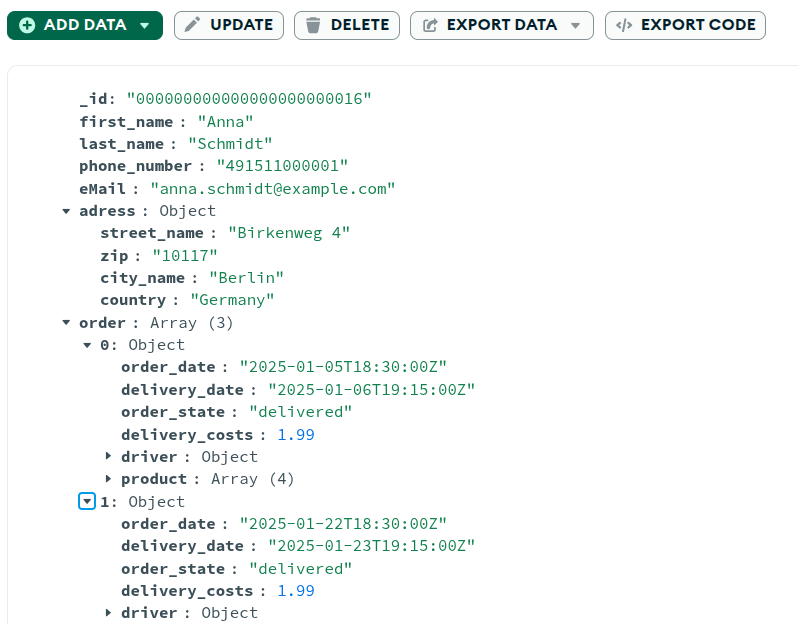
Here is my datastructure. Please prepare it for a recommendation system for a shopping basket. Please give me for each collection one file. Fille it with data.I prepared one file per collection from your MongoDB structure and filled them with linked sample data for basket recommendations, based on your uploaded schema
Files:
product.jsoncustomer.json
product.json
[
  {
    "_id": "000000000000000000000005",
    "prduct_name": "Margherita Pizza",
    "product_decription": "Classic pizza with tomato sauce and mozzarella",
    "product_type": "pizza",
    "alcohol": "no",
    "restaurant": [
      {
        "restaurant_id": "000000000000000000000001",
        "restaurant_name": "Pizza Palace",
        "restaurant_adress": {
          "street_name": "Main Street 10",
          "zip": "10115",
          "city_name": "Berlin",
          "country": "Germany"
        },
        "current_price": 8.9
      }
    ]
  },
  ...
customer.json
[
  {
    "_id": "000000000000000000000016",
    "first_name": "Anna",
    "last_name": "Schmidt",
    "phone_number": "491511000001",
    "eMail": "anna.schmidt@example.com",
    "adress": {
      "street_name": "Birkenweg 4",
      "zip": "10117",
      "city_name": "Berlin",
      "country": "Germany"
    },
    "order": [
      {
        "order_date": "2025-01-05T18:30:00Z",
        "delivery_date": "2025-01-06T19:15:00Z",
        "order_state": "delivered",
        "delivery_costs": 1.99,
        "driver": {
          "driver_name": "Nina Courier",
          "vehicle_name": "Toyota Yaris"
        },
        "product": [
          {
            "product_id": "000000000000000000000005",
            "product_name": "Margherita Pizza",
            "selling_price_piece": 8.9,
            "number_of_pieces": 1,
            "restaurant_id": "000000000000000000000001",
            "restaurant_name": "Pizza Palace"
          },
          {
            "product_id": "000000000000000000000007",
            "product_name": "Garlic Bread",
            "selling_price_piece": 4.5,
            "number_of_pieces": 1,
            "restaurant_id": "000000000000000000000001",
            "restaurant_name": "Pizza Palace"
          },
          ...
        ]
      },
      ...
Import
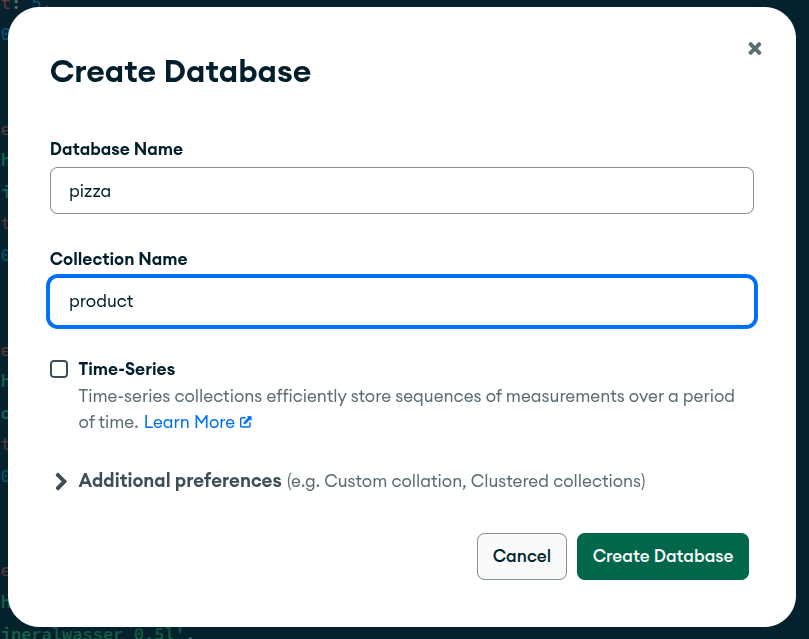
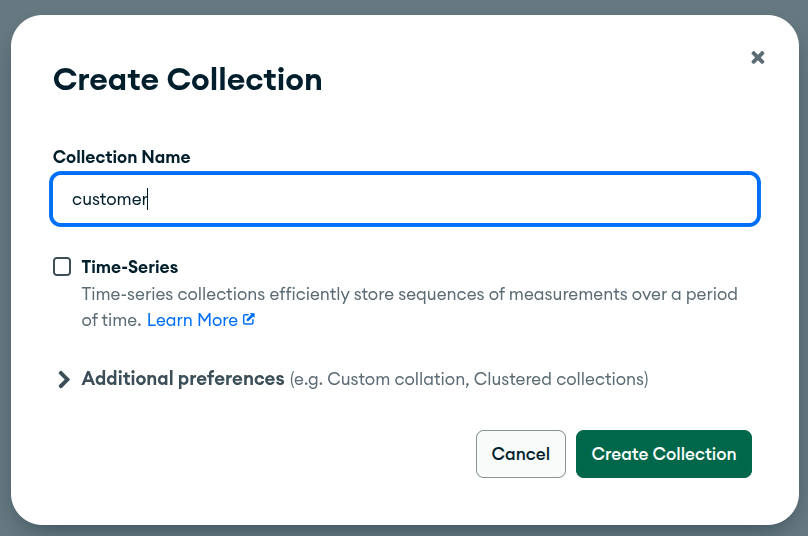
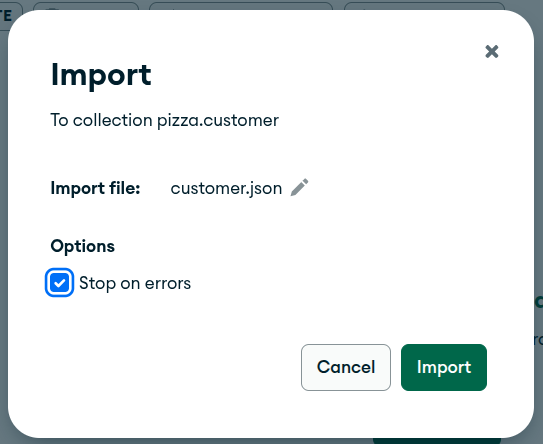
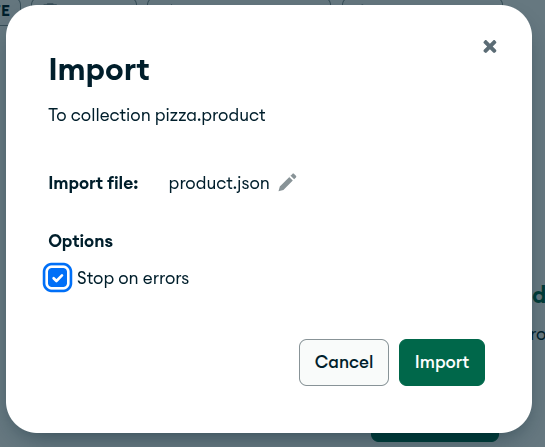
A MongoDB collection is a container that holds multiple documents in a database. You can think of it as similar to a table in a relational database, but it is more flexible. Instead of rows with a fixed structure, a collection stores documents in BSON, which is a JSON-like format. Documents in the same collection usually belong to the same type of data, such as students, orders, or products, but they do not all need to have exactly the same fields.
Query
Below is a MongoDB aggregation query for a shopping-basket
recommendation system using your structure. It
uses the customer collection, because your basket and
purchase history are stored inside
customer.order.product
Goal of the query
Given a current basket like:
Margherita Pizza
Coca Cola 1L
the query finds other products that were often bought together in past orders and recommends them.
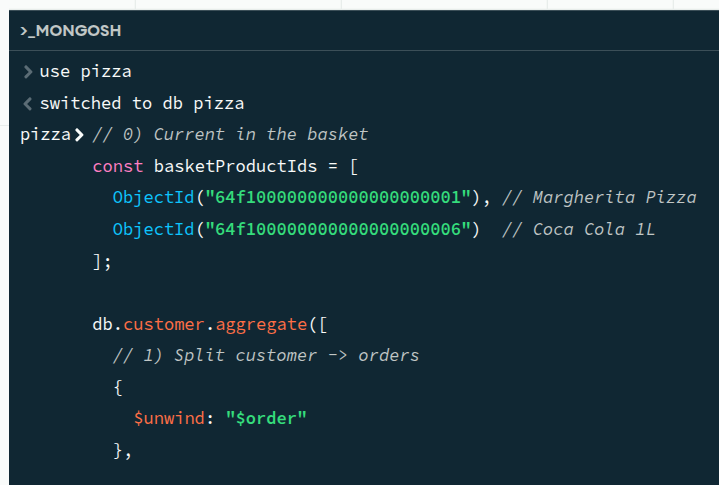
Please generate a query for a recommendation system. Use my structure. Explain the query in detail.// 0) Current in the basket
const basketProductIds = [
"000000000000000000000005", // Margherita Pizza
"000000000000000000000009" // Coca Cola 1L
];
db.customer.aggregate([
// 1) Split customer -> orders
{
$unwind: "$order"
},
// 2) Keep only orders that contain all basket items
{
$match: {
$expr: {
$setIsSubset: [
basketProductIds,
{
$map: {
input: "$order.product",
as: "p",
in: "$$p.product_id"
}
}
]
}
}
},
// 3) Split the products of the matching orders
{
$unwind: "$order.product"
},
// 4) Do not recommend items already in the basket
{
$match: {
"order.product.product_id": { $nin: basketProductIds }
}
},
// 5) Count how often each candidate product appears together
{
$group: {
_id: {
product_id: "$order.product.product_id",
product_name: "$order.product.product_name"
},
times_bought_together: { $sum: 1 },
avg_selling_price: { $avg: "$order.product.selling_price_piece" },
restaurants: {
$addToSet: {
restaurant_id: "$order.product.restaurant_id",
restaurant_name: "$order.product.restaurant_name"
}
}
}
},
// 6) Optional: enrich with data from your product collection
{
$lookup: {
from: "product",
localField: "_id.product_id",
foreignField: "_id",
as: "product_master"
}
},
{
$unwind: {
path: "$product_master",
preserveNullAndEmptyArrays: true
}
},
// 7) Shape the recommendation result
{
$project: {
_id: 0,
product_id: "$_id.product_id",
product_name: "$_id.product_name",
times_bought_together: 1,
avg_selling_price: { $round: ["$avg_selling_price", 2] },
product_type: "$product_master.product_type",
product_description: "$product_master.product_decription",
alcohol: "$product_master.alcohol",
available_from_restaurants: "$restaurants"
}
},
// 8) Best recommendations first
{
$sort: {
times_bought_together: -1,
product_name: 1
}
},
// 9) Limit the output
{
$limit: 5
}
]);
Why this fits your structure
Your schema has:
customerorderproductproduct_idproduct_nameselling_price_piecerestaurant_idrestaurant_name
and also a separate product collection with:
_idprduct_nameproduct_decriptionproduct_typealcoholrestaurant
So the best source for basket recommendation logic
is the customer collection, because that is where the
real order combinations live. The product
collection is useful to enrich the result with product details
unwind
{ $unwind: "$order" }Each customer has an array of orders. This step turns:
- one customer with many orders
into
- one document per order
That is necessary because recommendations should be based on single baskets/orders, not on all products the customer ever bought across time.
[
  { _id: "16",
    first_name: "Anna",
    last_name: "Schmidt",
    order: {
      order_date: "2025-01-05",
      product: [
        { product_id: "5", product_name: "Margherita Pizza", ... },
        { product_id: "7", product_name: "Garlic Bread", ... },
        ... ] } } ,

  { _id: "16",
    first_name: "Anna",
    last_name: "Schmidt",
    order: {
      order_date: "2025-01-22",
      product: [
        { product_id: "6", product_name: "Pepperoni Pizza", ... },
        { product_id: "7", product_name: "Garlic Bread", ... },
        { product_id: "9", product_name: "Cola 0.5L", ... }
        ... ] } },
Match only orders containing the current basket
const basketProductIds = [
  ObjectId("5"), // Margherita Pizza
  ObjectId("9")  // Coca Cola 1L
];
{
$match: {
$expr: {
$setIsSubset: [
basketProductIds,
{
  $map: {
    input: "$order.product",
    as: "p",
    in: "$$p.product_id"
  }
}
]
}
}
}This is the core of the recommendation logic.
It asks:
“Is the current basket a subset of the products in this historical order?”
Example:
Current basket:
5 … Pizza
9 … Cola
Historical order:
5 … Pizza
7 … Garlic Bread
9 … Cola
This order matches, because the historical order contains all basket items.
How it works:
$mapextracts allproduct_idvalues fromorder.product$setIsSubsetchecks whetherbasketProductIdsis fully contained in that order’s product list
So only relevant historical baskets remain.
This $match returns only those unwound order
documents whose order.product contains every ID in
basketProductIds.
So the result is not a transformed document. It is a filtered subset of the pipeline input.
Inner part
{
$map: {
input: "$order.product",
as: "p",
in: "$$p.product_id"
}
}This converts one order like this:
order.product: [
  { product_id: "5", product_name: "Pizza" },
  { product_id: "9", product_name: "Cola" },
  { product_id: "7", product_name: "Garlic Bread" }
]
into:
[ "5", "9", "7" ]Then $setIsSubset checks:
basketProductIds = ["5", "9"]
Is basketProductIds a subset of [ "5", "9", "7" ]?
YES!!!
Exact meaning of the result
After this stage, the pipeline output contains only documents like:
[
  { _id: "23",
    first_name: "Susi",
    last_name: "Müller",
    order: {
      order_date: "2025-01-05",
      product: [
        { product_id: "5", product_name: "Margherita Pizza", ... },
        { product_id: "9", product_name: "Cola 0.5L", ... }
        { product_id: "7", product_name: "Garlic Bread", ... },
        ... ] } } ,

  { _id: "23",
    first_name: "Susi",
    last_name: "Müller",
    order: {
      order_date: "2025-01-22",
      product: [
        { product_id: "5", product_name: "Margherita Pizza", ... },
        { product_id: "7", product_name: "Garlic Bread", ... },
        { product_id: "9", product_name: "Cola 0.5L", ... }
        ... ] } },
but only for matching orders.
So the result is:
same structure as after
$unwind: "$order"fewer documents
only orders containing all basket items
unwind
Now each matching order is split into individual products.
If a matching order contains:
Pizza
Cola
Garlic Bread
it becomes three documents.
This allows MongoDB to count which extra products appear with the basket most often.
Exclude products already in the basket
{
  $match: {
    "order.product.product_id": { $nin: basketProductIds }
  }
}
You do not want to recommend products the user already has.
If the basket already contains:
Pizza
Cola
then those two should not appear as recommendations.
Only possible add-on items remain, such as:
Garlic Bread
Tiramisu
Water
Group and count co-occurrences
{
  $group: {
    _id: {
      product_id: "$order.product.product_id",
      product_name: "$order.product.product_name"
    },
    times_bought_together: { $sum: 1 },
    avg_selling_price: { $avg: "$order.product.selling_price_piece" },
    restaurants: {
      $addToSet: {
        restaurant_id: "$order.product.restaurant_id",
        restaurant_name: "$order.product.restaurant_name"
      }
    }
  }
}
This stage creates the recommendation score.
It groups by product and calculates:
times_bought_together: how often this product was bought with the basketavg_selling_price: average selling price in matching ordersrestaurants: which restaurants sold it in those orders
Example result before sorting:
Garlic Bread → 18
Tiramisu → 9
Water → 6
That means Garlic Bread is the strongest recommendation.
$lookup into
product
{
  $lookup: {
    from: "product",
    localField: "_id.product_id",
    foreignField: "_id",
    as: "product_master"
  }
}
This step enriches the recommendation with extra fields from your
product collection, such as:
product_typeproduct_decriptionalcohol
This is optional, but useful if you want the frontend to show more than just the product name.
Format the output
{
  $project: {
    _id: 0,
    product_id: "$_id.product_id",
    product_name: "$_id.product_name",
    times_bought_together: 1,
    avg_selling_price: { $round: ["$avg_selling_price", 2] },
    product_type: "$product_master.product_type",
    product_description: "$product_master.product_decription",
    alcohol: "$product_master.alcohol",
    available_from_restaurants: "$restaurants"
  }
}
This makes the result easier to use in an application.
Example output:
[
  {
    product_id: ObjectId("7"),
    product_name: "Garlic Bread",
    times_bought_together: 18,
    avg_selling_price: 4.49,
    product_type: "side",
    product_description: "Toasted bread with garlic butter",
    alcohol: "no",
    available_from_restaurants: [
      {
        restaurant_id: ObjectId("64f200000000000000000001"),
        restaurant_name: "Bella Napoli"
      }
    ]
  }
]
Sort by strongest recommendation
{
  $sort: {
    times_bought_together: -1,
    product_name: 1
  }
}
Products most frequently bought together appear first.
Limit results
{ $limit: 5 }Returns only the top 5 recommendations.
Limitations
A product bought together often is recommended, but it does not consider:
recency
customer preferences
seasonality
product popularity bias
Lift
Lift is a measure used in market basket analysis and recommendation systems to show how strongly two products are associated.
It answers this question:
How much more often do two items occur together than we would expect by pure chance?
For a rule:
"Pizza" → "Cola"the lift is:
Lift("Pizza" → "Cola") =
Support("Pizza" ∪ "Cola") / (Support("Pizza") × Support("Cola"))
Meaning of the parts
Support(“Pizza”) = how often item “Pizza” appears
Support(“Cola”) = how often item “Cola” appears
Support(“Pizza” ∪ “Cola”) = how often A and B appear together
Interpretation
Lift = 1 … “Pizza” and “Fries” are independent. They occur together exactly as often as expected by chance.
Lift > 1 … “Pizza” and “Cola” occur together more often than expected. This means there is a useful positive association.
Lift < 1 … “Pizza” and “Noodles” occur together less often than expected. This suggests a negative association.
A lift of 1.67 means:
Pizza and Cola are bought together 1.67 times more often than expected by chance.
So Cola is a meaningful recommendation for Pizza.
In recommendation systems
You can use lift to rank or filter recommendations.
Example rules:
Pizza → Garlic Bread, lift = 2.4
Pizza → Water, lift = 1.1
Pizza → Cola, lift = 1.7
Then Garlic Bread is the strongest associated recommendation, even if Water appears often.
const productA = "000000000000000000000005"; // Pizza
const productB = "000000000000000000000009"; // Cola

db.customer.aggregate([
  {
    $unwind: "$order"
  },
  {
    $project: {
      productIds: {
        $map: {
          input: "$order.product",
          as: "p",
          in: "$$p.product_id"
        }
      }
    }
  },
  {
    $group: {
      _id: null,
      totalOrders: { $sum: 1 },
      countA: {
        $sum: {
          $cond: [
            { $in: [productA, "$productIds"] },
            1,
            0
          ]
        }
      },
      countB: {
        $sum: {
          $cond: [
            { $in: [productB, "$productIds"] },
            1,
            0
          ]
        }
      },
      countAB: {
        $sum: {
          $cond: [
            {
              $and: [
                { $in: [productA, "$productIds"] },
                { $in: [productB, "$productIds"] }
              ]
            },
            1,
            0
          ]
        }
      }
    }
  },
  {
    $project: {
      _id: 0,
      totalOrders: 1,
      countA: 1,
      countB: 1,
      countAB: 1,
      supportA: { $divide: ["$countA", "$totalOrders"] },
      supportB: { $divide: ["$countB", "$totalOrders"] },
      supportAB: { $divide: ["$countAB", "$totalOrders"] },
      lift: {
        $divide: [
          { $divide: ["$countAB", "$totalOrders"] },
          {
            $multiply: [
              { $divide: ["$countA", "$totalOrders"] },
              { $divide: ["$countB", "$totalOrders"] }
            ]
          }
        ]
      }
    }
  }
]);